Workflow di Git e Rstudio
Prima di cominciare a Lavorare/collaborare
STEP 1: Aggiorna il tuo codice
Scegli l’opzione:
OPZIONE 1A: Farò un nuovo branch su cui lavoro
Crea un nuovo branch con un nome evocativo della funzione che vuoi aggiungere o modificare.
Make sure you are working on the master branch: 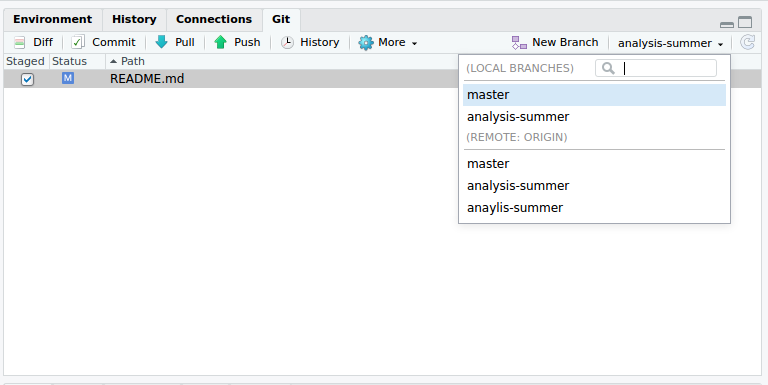
Update the master branch to make sure it is aligned with the remote master: Click Pull: 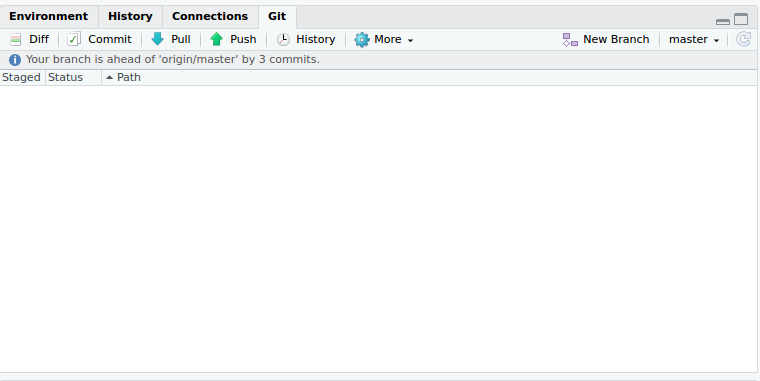
Create a new branch: click on New branch and fill in a branch name: 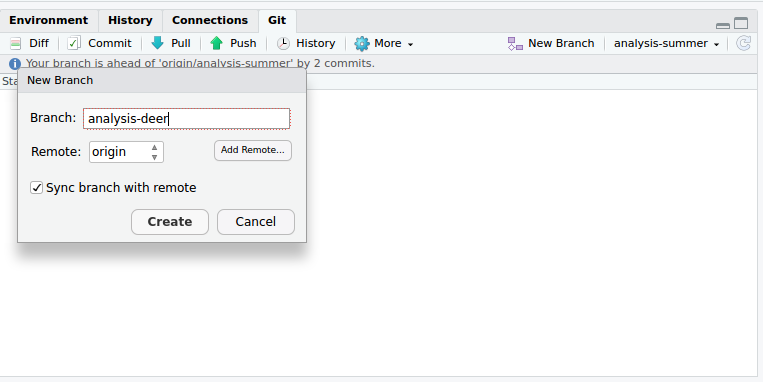
OPTION 1B: I already have a branch I want to continue working on:
Switch to existing topic branch: 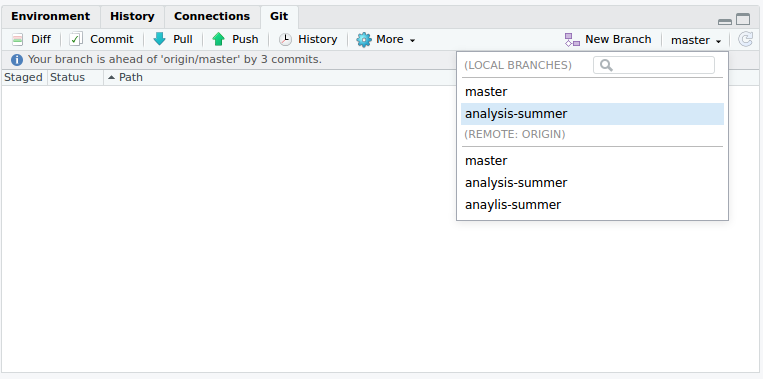
Update the topic branch to make sure is is aligned with the remote master: In the Git shell, type:
git pull origin master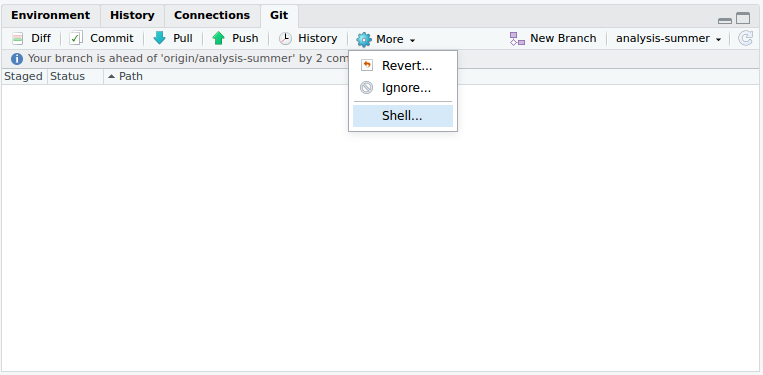
WHILE EDITING
STEP 2.x: adapt in md, R-code,… (multiple times!)
Add new files
Stage the new file with checkbox and click Commit 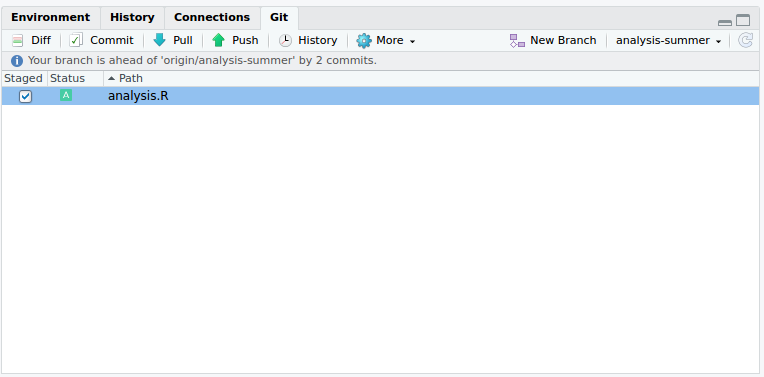
Provide clear and understandable message about adaptations 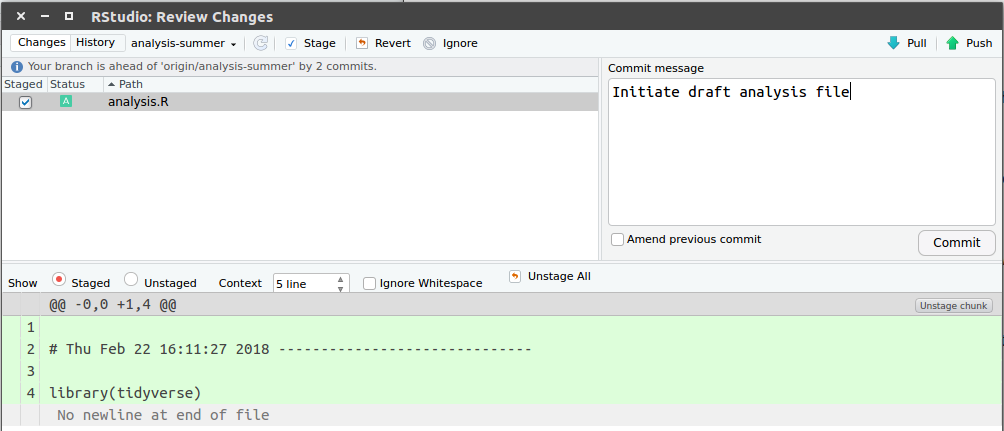
Change files:
Stage the adaptations with checkbox and click Commit 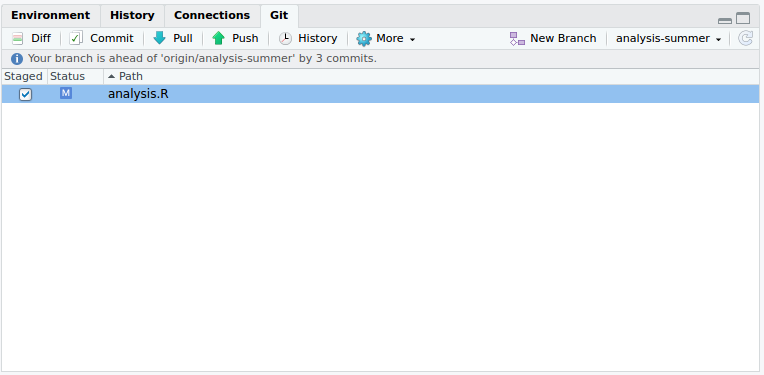
Provide clear and understandable message about adaptations 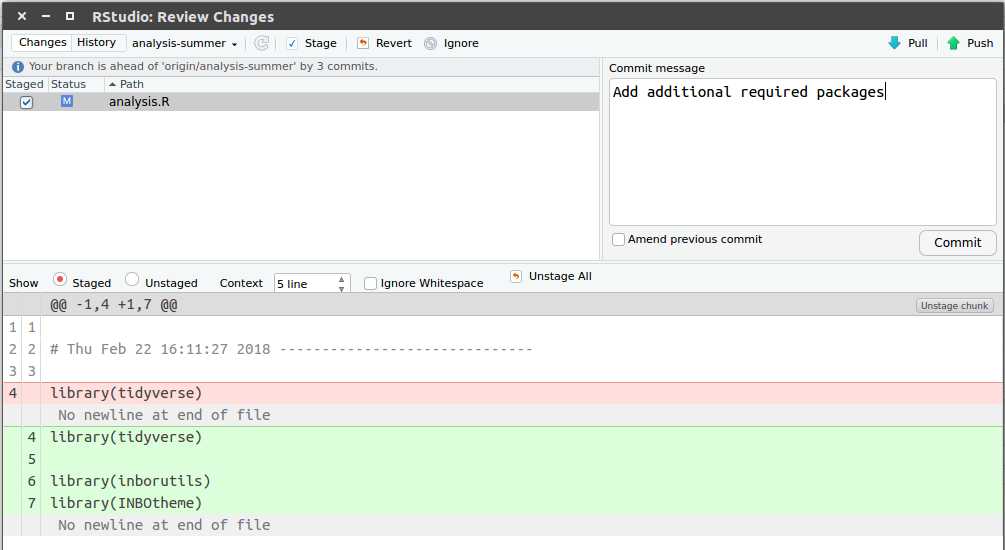
STEP 3: Push your changes to GitHub.
Update the remote version of the topic branch. Click Push: 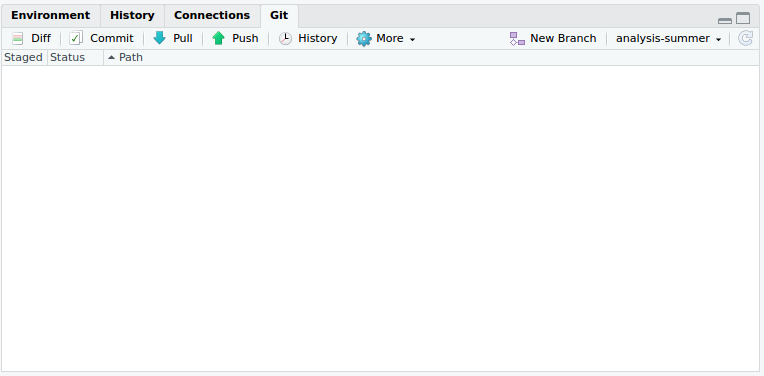
EDITS ON BRANCH ARE READY
STEP 4: Pull request to add your changes to the current master.
Update the remote version of the topic branch. Click Push:
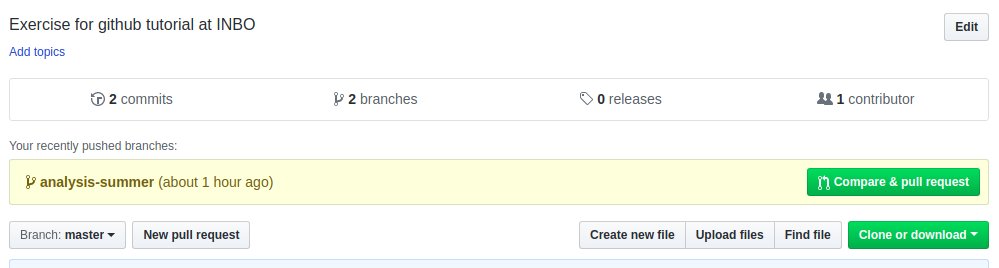
Go to your repo on Github.com and click the Compare & pull request button.
Add information about the Pull request, add reviewers, labels,… Finally, Create pull request: 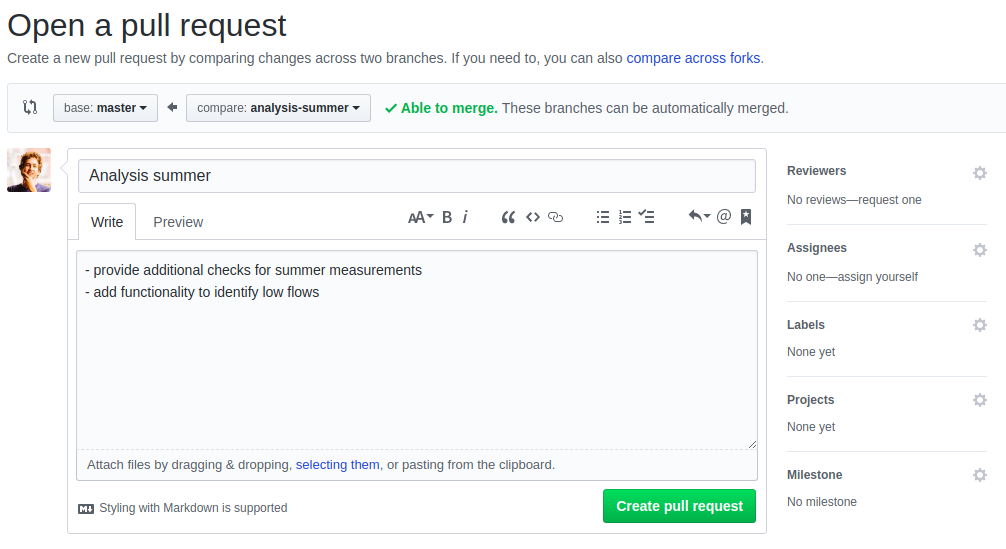
STEP 5: Code review!
You and collaborators can make comments about the edits, review the code and adapt if required (create additional commits and Push them to GitHub) .
If everything is ok, click the Merge pull request:
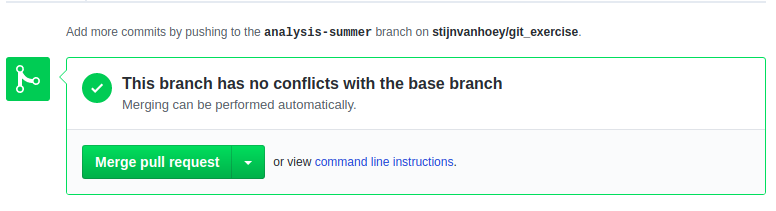
followed by Confirm merge:
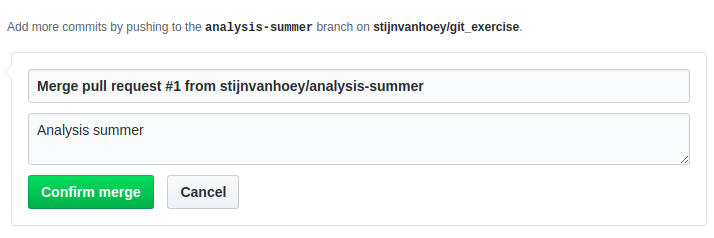
Delete the online branch after merge, since obsolete, click Delete branch

STEP 6: Update the master branch on my PC
Make sure you are working on the master branch:
Remove the local branch, since obsolete. In the Git shell, type:
git branch -d analysis-script
Update the local master branch: Click Pull:
A work by Niccolò Salvini
niccolo.salvini27@gmail.com
Made with in Florence